

Computer software prepackaged software — often referred to as packaged software or off-the-shelf software — is one of the most common types of software used by individuals, businesses, and organizations. It is a ready-made software solution developed for mass distribution, designed to meet the needs of a large number of users rather than a specific client or company.
This article explains what prepackaged software is, how it works, its examples, advantages, limitations, and how it compares to custom-built software.
Table of Contents
What Is Prepackaged Software?
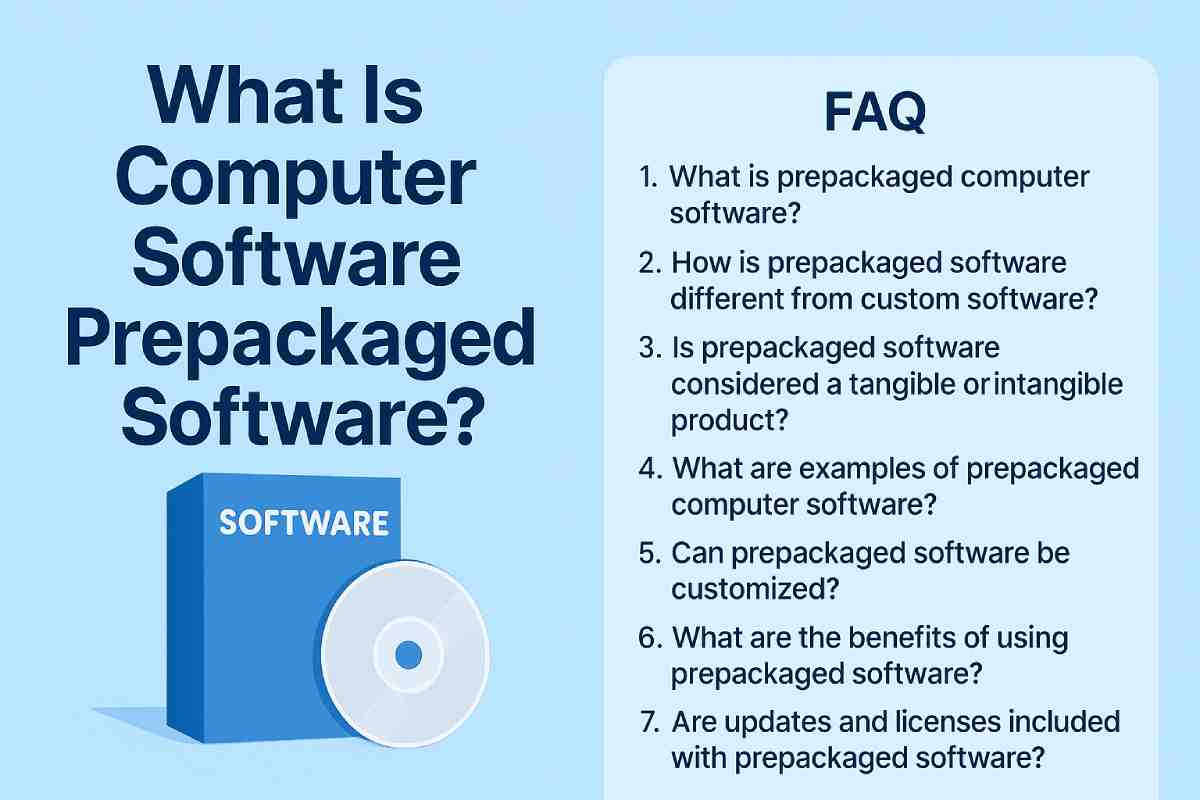
Prepackaged software is a type of computer software developed by third-party companies and sold in a ready-to-use format. It comes with preset features, functions, and tools designed to serve general user needs such as word processing, data management, communication, graphic design, and more.
It is called prepackaged because:
- It is designed, developed, tested, and compiled in advance
- It is distributed to the public in a complete form
- Users can install and use it immediately without further development
Examples include Microsoft Office, Adobe Photoshop, QuickBooks, and Google Chrome.
Characteristics of Prepackaged Software
Prepackaged software has several defining features that make it widely used:
1. Ready-Made and Easy to Install
The software is fully built and requires minimal setup. Users can start using it right after installation.
2. Designed for General Use
It includes standard features meant for a broad audience instead of specific business requirements.
3. Affordable
Since the software is developed once and sold to many users, costs are spread out, making it cheaper than custom solutions.
4. Regular Updates
Software creators provide periodic updates to improve performance, add new features, and fix security issues.
5. Wide Compatibility
Most prepackaged tools are designed to work on multiple devices and operating systems.
Examples of Prepackaged Software
Here are some of the most common examples:
Productivity Software
- Microsoft Office
- Google Workspace
- WPS Office
Graphic & Design Software
- Adobe Photoshop
- Adobe Illustrator
- Canva
Communication Tools
- Microsoft Teams
- Slack
- Zoom
Web Browsers
- Google Chrome
- Mozilla Firefox
- Safari
Security Software
- McAfee
- Norton Antivirus
Accounting Software
- QuickBooks
- Tally
- FreshBooks
These products are developed once and distributed to millions of users through licensing, subscriptions, or one-time purchases.
Prepackaged Software vs. Custom Software
Understanding the difference helps users and businesses choose the right solution.
| Feature | Prepackaged Software | Custom Software |
|---|---|---|
| Purpose | General use | Specific business needs |
| Cost | Low to moderate | High |
| Customization | Limited | Fully customizable |
| Updates | Provided by vendor | On-demand or as needed |
| Development Time | None | Long development cycle |
When to Choose Prepackaged Software
- When you need immediate access
- When the budget is limited
- When general features are enough
When to Choose Custom Software
- When your business needs unique features
- When automation or integration is required
- When scalability and extensions are needed
Advantages of Prepackaged Software
1. Cost-Effective
Lower development and licensing costs make it ideal for individuals and small businesses.
2. Quick Deployment
You can download and start using it instantly, saving time and effort.
3. Regular Support & Updates
Vendors handle security updates, bug fixes, and performance improvements.
4. Reliable and Tested
Popular software goes through heavy testing and is used globally, ensuring stability.
5. Availability of Help Resources
Users can find tutorials, forums, customer support, and online communities easily.
Limitations of Prepackaged Software
1. Limited Customization
You cannot deeply modify features to match specific business needs.
2. Unused Features
Some functionalities may not be needed but still come bundled.
3. Dependency on Vendor
Users rely on the developer for updates, bug fixes, and support.
4. Licensing Restrictions
Users must follow the terms, which may limit sharing or redistribution.
Distribution Methods of Prepackaged Software
Prepackaged software is distributed in multiple formats:
1. Digital Downloads
The most popular method, available through:
- Official websites
- App stores
- Software marketplaces
2. SaaS (Software as a Service)
Cloud-based platforms accessed via subscription:
- Google Workspace
- Microsoft Office 365
- Canva Pro
3. Physical Media (less common now)
- CD/DVD
- USB installation drives
Is Prepackaged Software Good for Businesses?
Yes — especially for startups, small businesses, and general office use.
It helps with:
- Accounting
- Payroll
- Document management
- Communication
- Security
- Project management
However, companies with unique workflows may eventually require custom-built software.
Career Opportunities in Prepackaged Software
The industry offers various job roles such as:
- Software Developer
- UI/UX Designer
- Product Manager
- QA Tester
- Technical Support Specialist
- Cloud Specialist
Because the software market is huge and always evolving, prepackaged software careers remain in high demand.
Conclusion
Computer software prepackaged software plays an essential role in modern computing. It provides ready-made, cost-effective, and reliable solutions for individuals and businesses. While it may lack customization, its ease of use, availability, and ongoing support make it a preferred choice in many situations. Understanding how prepackaged software works helps users choose the right tools for productivity, business operations, and everyday tasks.
FAQs About Prepackaged Computer Software
1. What is prepackaged computer software?
- Prepackaged computer software refers to standardized, ready-made software programs sold to the public in a non-customizable form. These products are created for broad use, meaning the same version is distributed to all buyers without modifications.
2. How is prepackaged software different from custom software?
- Prepackaged software is built for mass use, while custom software is developed specifically for one business or individual. Custom software requires more time, effort, and cost, whereas prepackaged solutions are affordable and ready to deploy.
3. Is prepackaged software considered a tangible or intangible product?
Legally, it depends on how the software is delivered.
- Physical delivery (CD, DVD, USB): Often classified as tangible personal property.
- Digital download: Considered intangible, though tax laws vary by region.
4. What are examples of prepackaged computer software?
Popular examples include:
- Microsoft Office
- Adobe Photoshop
- Antivirus software
- Accounting software like QuickBooks
- Operating systems like Windows and macOS
5. Can prepackaged software be customized?
- Only to a limited extent. Users may adjust settings, but the underlying code and core functionalities remain unchanged. If deep customization is required, businesses usually opt for custom applications.
6. What are the benefits of using prepackaged software?
- Low upfront cost
- Fast installation
- Regular updates
- Technical support
- Widely compatible with most systems
- Suitable for general-purpose needs
7. Are updates and licenses included with prepackaged software?
Most prepackaged software includes:
- A license key or subscription
- Regular updates/patches
Some require annual renewals, while others offer lifetime licenses.
8. Is prepackaged software secure?
- Yes, reputable companies release frequent security patches. However, users must ensure they install updates promptly and download software only from trusted sources.
9. Can prepackaged software be used commercially?
It depends on the license agreement.
-
Personal license: For personal/home use
-
Commercial license: For businesses
Always read the terms before using the software in a workplace environment.
10. Is cloud-based software considered prepackaged?
- Yes. Many cloud or SaaS applications—like Google Workspace or Trello—are categorized as prepackaged software because they offer standardized features to all users.
Also Read: Arctis 3 Bluetooth: Description, Features, Availability, & More